
Similar Articles






Running a small business often means wearing every hat at
once, including the design hat. You might build your own logos, product
graphics, or print files late at night, using whatever photo or design file you
already have on hand. The trouble starts when that file is too small. A design
that looked fine on a screen can turn blurry and rough the moment it gets
scaled up for a large print, a banner, or a bigger product listing.
Paying for a cloud upscaling tool every time this happens
gets old fast, especially when you are already watching every dollar in your
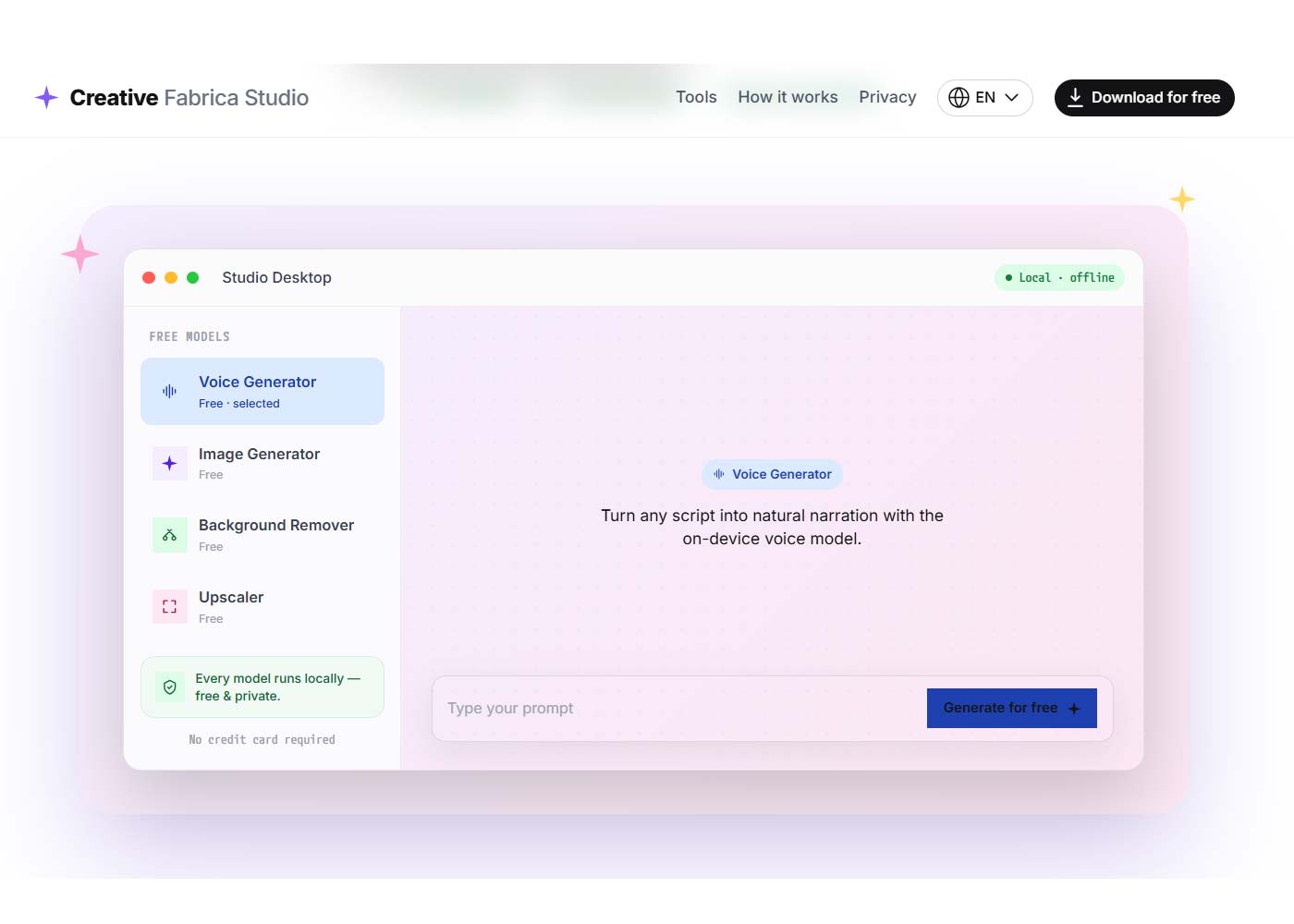
business. Creative Fabrica Studio Desktop offers a different path. It is a
Windows and Mac app built around a free AI image upscaler for desktop use, along with a background remover and a few other tools, all
running on your own computer instead of a remote server.
Creative Fabrica Studio Desktop is an app that pairs
Creative Fabrica Studio with AI models installed directly on your own machine.
Rather than sending a design file out to a server and waiting for it to come
back, supported tools such as upscaling and background removal can work right
on your device once the model is set up.
It helps to be honest about what this means. Not every part
of Studio is guaranteed to work without an internet connection at all times.
What can be said with confidence, based on testing the app directly, is this:
after the model is installed, supported local tools can run on your computer.
That is a fair, tested claim, rather than a promise that the whole app works
with no connection in every single case.
When you run a small business, time and cost both matter
more than they might at a larger company. Local AI tools help on both fronts.
1. No need to upload every design file to a cloud tool and
wait in line for it to process.
2. No credit system charging you each time you need to
upscale or clean up an image.
3. A real time saver when you are prepping many product
photos or design files in one sitting.
4. A better fit if you care about keeping client files and
product designs on your own machine.
5. Useful when your internet connection is slow, since the
work does not depend on upload speed.
6. Built right into the Creative Fabrica Studio setup, so
you are not paying for or learning a separate program.
None of this means cloud tools have no place in your
workflow. It simply means a small business now has a free, local option sitting
right next to the tools it may already use.
Here is a common situation for small business owners selling
print on demand products. You have a design file that was made small, maybe
pulled from an old project or sent over by a client, and now you need it sized
up for a shirt, mug, or poster without losing its sharpness.
1. Open Creative Fabrica Studio Desktop, choose the
upscaling tool and download the model.
2. Drop in the small or blurry design file.
3. Let the local model process the file on your own computer
and save the new version.
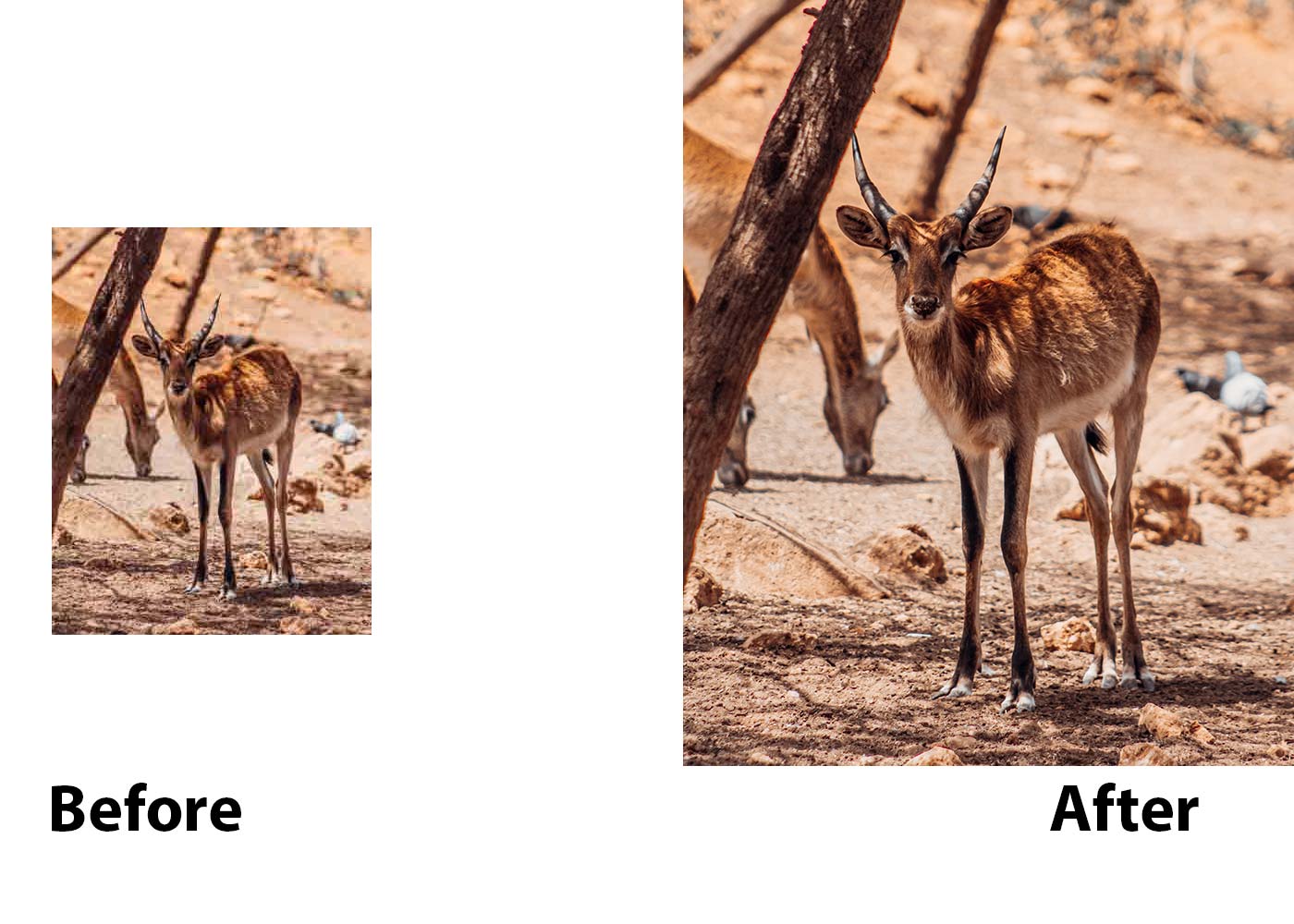
The result is a sharper file with clean edges, ready for a
print run or a bigger product mockup, without sending the design to an outside
server first.
Creative Fabrica Studio Desktop fits a wide range of small
business needs. It is worth trying if you are one of the following.
1. A small business owner who builds your own product
graphics without a design team.
2. A print on demand seller who needs designs sized up for
different products.
3. A shop owner who edits product photos for a website or
online store.
4. A freelancer or side business owner watching costs
closely.
5. A local business preparing signs, flyers, or menus that
need a larger, sharper file.
If any of that describes your daily work, the app is worth a
look, since it costs nothing to try.
No tool solves everything, so it is worth looking at both
sides honestly.
1. Free local AI tools, with no credit card needed to get
started.
2. Works on both Windows and Mac.
3. Useful for upscaling and background removal, two common
needs for small business owners.
4. Built directly into the Creative Fabrica Studio setup,
instead of a separate paid program.
1. Performance depends on your computer, so an older machine
may run slower.
2. Models need to be downloaded before you can use them for
the first time.
3. Some features may still need an internet connection or a
Creative Fabrica account, depending on the task.
Being upfront about the limits of a tool builds more trust
than pretending it can do everything, and that is the goal here.
Small business owners rarely have time to fight with blurry
design files or wait on a cloud queue. If that sounds familiar, it is worth
installing Creative Fabrica Studio Desktop and trying the AI upscaler for print on demand work on one of your own files.
Do you want to have a website that attracts attention and wows visitors? Then, we are prepared to assist! Contact us by clicking the button below to share your thoughts with us.
Anthony Morha
Poland Web Designer is a leading technology solutions provider dedicated to creating innovative applications that address the needs of corporate businesses and individuals.